
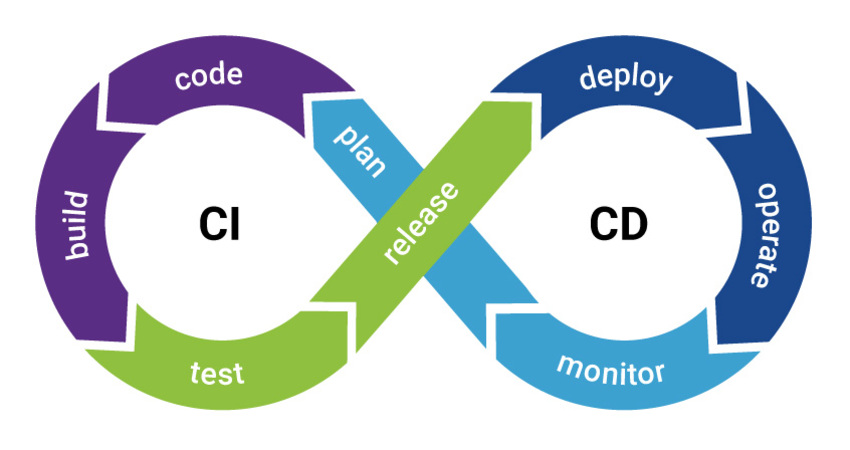
In the ever-evolving landscape of software development, streamlining processes and ensuring code quality are paramount. This guide explores the integration of automated testing into your development workflow, coupled with seamless pushes to GitHub. By automating testing and syncing changes with GitHub, you not only enhance code quality but also foster a more efficient and collaborative development environment.
Begin by selecting suitable testing frameworks for your programming language. Common choices include JUnit for Java, PyTest for Python, and Jest for JavaScript. Ensure compatibility with your project's stack.
Craft comprehensive test suites that cover different aspects of your application. Include unit tests, integration tests, and end-to-end tests to assess functionality, reliability, and performance.
Implement a CI system, such as Jenkins, Travis CI, or GitHub Actions. Configure it to trigger automated tests on each push to your GitHub repository. This ensures that tests run in a consistent environment.
Create a .github/workflows directory in your repository and define a workflow file (e.g., ci.yml). This file outlines the steps GitHub Actions should take on each push.
Structure your workflow into jobs and steps. Jobs represent different tasks, and steps are individual actions within those tasks. For testing, include steps to install dependencies, run tests, and report results.
Leverage GitHub Actions to send notifications upon completion of tests. Additionally, add status badges to your repository's README, providing a visual indicator of the latest build status.
Extend your CI workflow to include a step that triggers a push to GitHub only if all tests pass successfully. This prevents code with failing tests from being pushed to the main branch.
For security, generate a GitHub Personal Access Token with appropriate repository permissions. Add this token as a secret in your GitHub repository, and use it to authenticate during the push action.
Utilize Git commands or scripts within your CI workflow to push changes programmatically. Ensure that this action is conditional on the success of the preceding tests.
Automated testing coupled with immediate GitHub pushes creates a rapid feedback loop. Developers receive prompt notifications and can address issues sooner.
Ensure a high standard of code quality by preventing the merge of untested or failing code into the main branch. This contributes to a stable and reliable codebase.
Foster collaboration by establishing a standardized testing process. Team members can trust that changes are thoroughly tested before integration.
By seamlessly integrating automated testing and GitHub pushes into your development pipeline, you elevate the efficiency and reliability of your projects. This approach not only automates critical aspects of the development process but also fosters a culture of continuous improvement and collaboration. Embrace these practices to propel your development workflows towards greater effectiveness and code excellence.